
Community
Your Profile Page
Your public corner of Knytstudio: username, bio, social links, your published patterns, and the patterns you have liked.
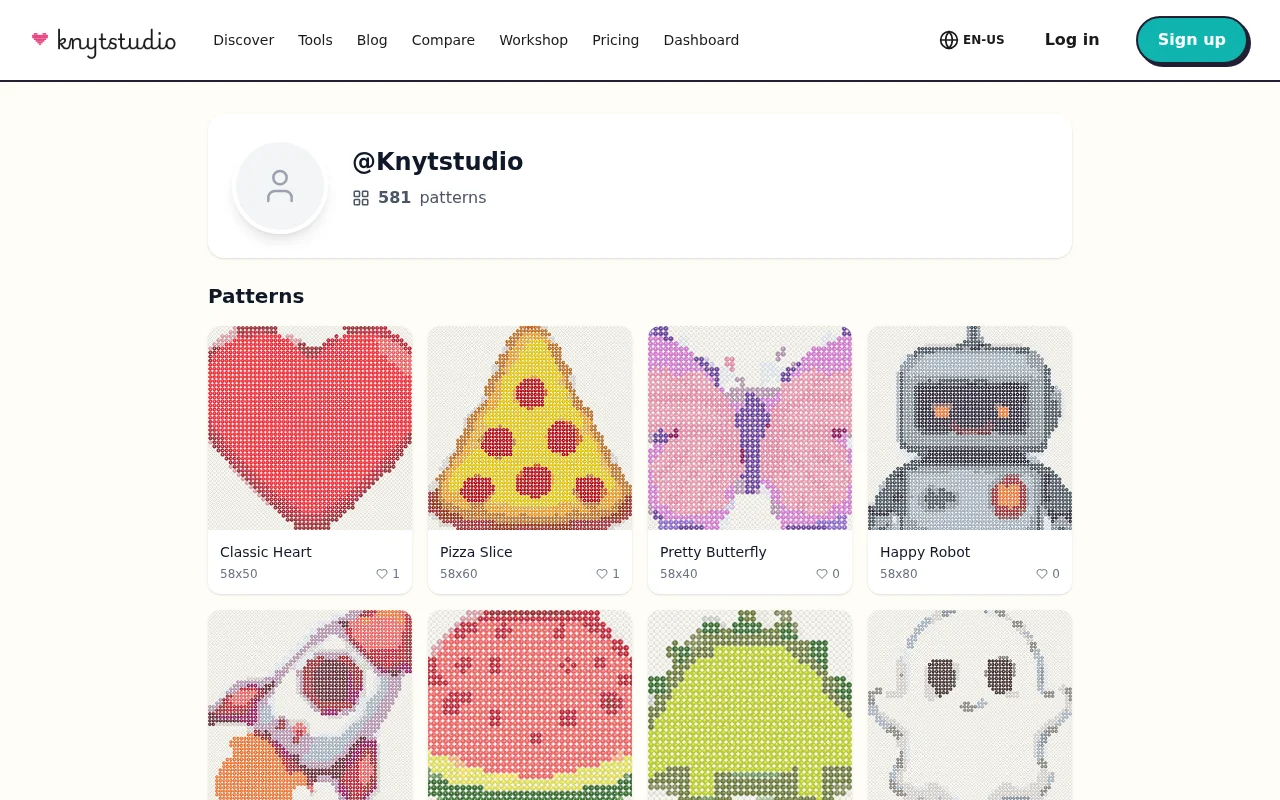
Every Knytstudio account comes with a public profile page — your portfolio in the community. When someone admires your published pattern, your profile is where they land next to see what else you have made.
What’s on it
Your identity: username, avatar, and a short bio. Designers often use the bio for what they love to make (“folk art and tiny animals”) or where else to find them — the profile supports social links to Instagram, TikTok, and Twitter/X.
Your patterns: everything you have published, with previews, likes, and remix counts. The more you publish, the more your profile becomes a body of work rather than a single lucky hit.
Your stash: patterns you have liked while browsing Discover — your public wishlist of things to stitch someday. Liking a pattern is also the lightest way to bookmark it.
Setting it up
Open Settings from the dashboard and fill in the Account section: username, then bio and social links. Two minutes, and every pattern you publish afterwards carries a proper byline.
Why bother?
Even if you never plan to be “a designer”, a filled-in profile changes how the community treats your patterns. A pattern by strawberry_and_stem, “cottagecore charts from northern Sweden” invites comments and remixes in a way that an anonymous upload does not. And if you do dream of designing seriously, this page is your portfolio from day one — every like, remix, and finished-piece photo accumulating in one place.
Frequently asked questions
Can I change my username?
Yes, in Settings under Account — 3 to 30 characters, letters, numbers, and underscores.
Who can see my profile?
Anyone with the link — it is a public page, like a designer portfolio. Only your published patterns appear on it; private patterns stay private.
Can I link my social accounts?
Yes, your profile supports links to Instagram, TikTok, and Twitter/X, so your Knytstudio audience can find you elsewhere too.
Try it yourself
The Knytstudio editor is free to use in your browser. No install, no signup needed to start.
Open the editor