
Creating Patterns
Colors and Threads
489 floss colors with codes from five thread brands, a searchable color browser, per-color stitch counts, and symbol assignment.
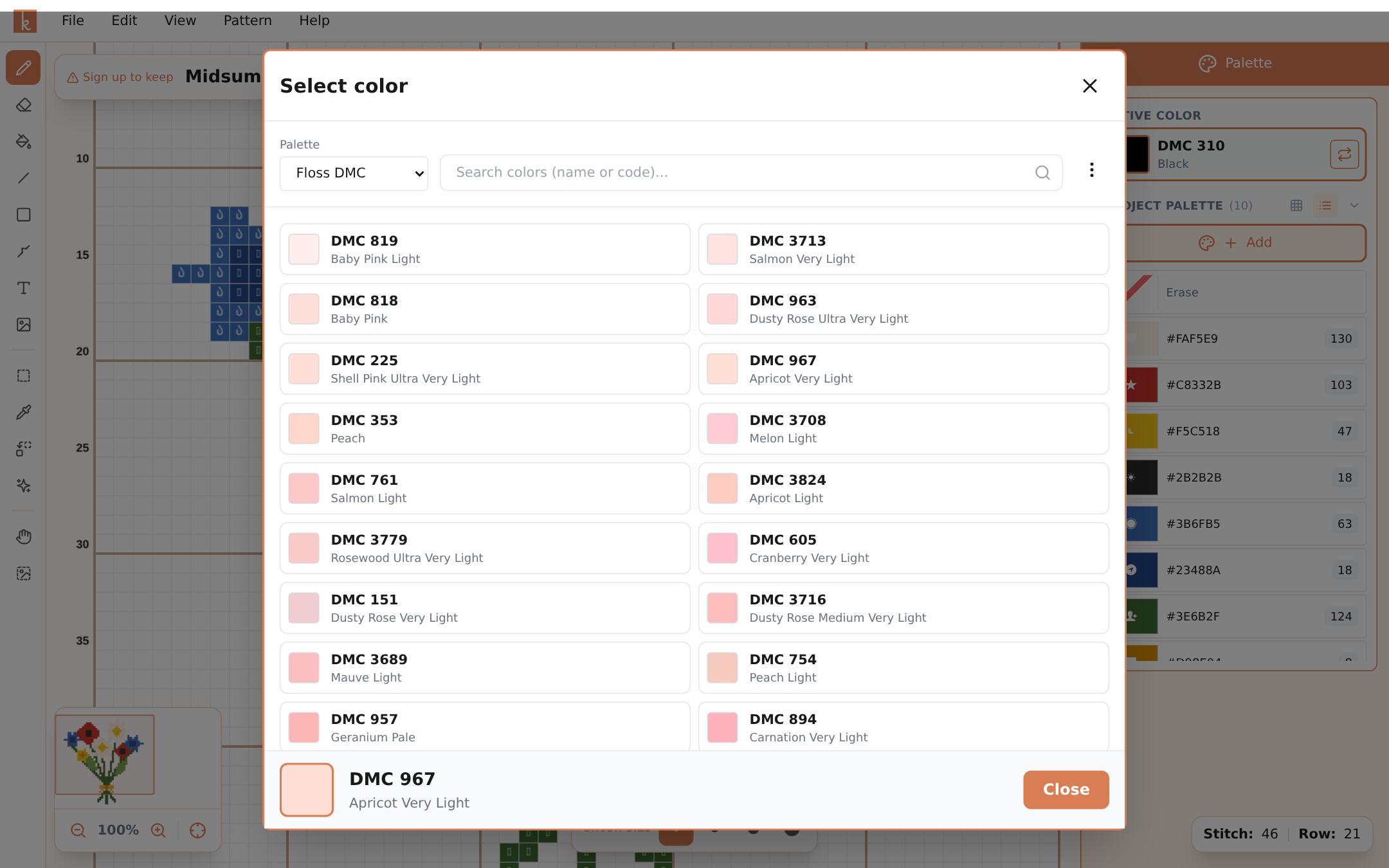
Knytstudio thinks in real thread, not just screen colors. The library holds 489 floss colors, each mapped to codes in five brands — DMC, Anchor, Sullivans, J&P Coats, and Maxi — so the chart you design matches the skeins in your stash.
The project palette
The panel on the right shows every color in your current pattern with a live stitch count, so you always know which colors carry the design and which are barely used (two-stitch colors are often confetti candidates — see Confetti Cleanup). The active color shows its floss code and name, like “DMC 310 Black”.
The color browser
Browse Colors opens the full library. Search by code or name (“742”, “salmon”), switch between grid and list view, and see at a glance which colors are already in your pattern. Pick your brand and all codes display in that brand’s numbering.
Replacing colors
Two tools cover the two situations:
- Color picker (P) grabs a color from the canvas as your active color.
- Replace Color swaps every stitch of one color for another across the whole pattern — perfect when the rose should have been a deeper red all along, or when you want to substitute a color you don’t own for one you do.
Symbols
Every color gets a chart symbol, used in the hybrid and symbols-only view modes and in printed PDFs. Knytstudio assigns them automatically, and you can change any color’s symbol with Change Symbol in the palette — useful when two auto-assigned symbols feel too similar at a glance.
Frequently asked questions
Which thread brands does Knytstudio support?
DMC, Anchor, Sullivans, J&P Coats, and Maxi. Every color shows its code in your selected brand, and the same 489-color library is mapped across all five.
Can I see how much of each color I'll need?
The palette shows a live stitch count next to every color. Pro adds advanced color statistics with a fuller breakdown of usage.
Can I change the symbol a color uses in the chart?
Yes — select the color and use Change Symbol. Symbols carry through to the hybrid and symbols views and to PDF export.
Try it yourself
The Knytstudio editor is free to use in your browser. No install, no signup needed to start.
Open the editor