Getting Started
Your First Pattern
Four ways to start a pattern in Knytstudio: from a photo, from a community pattern, from a description, or from a blank canvas.
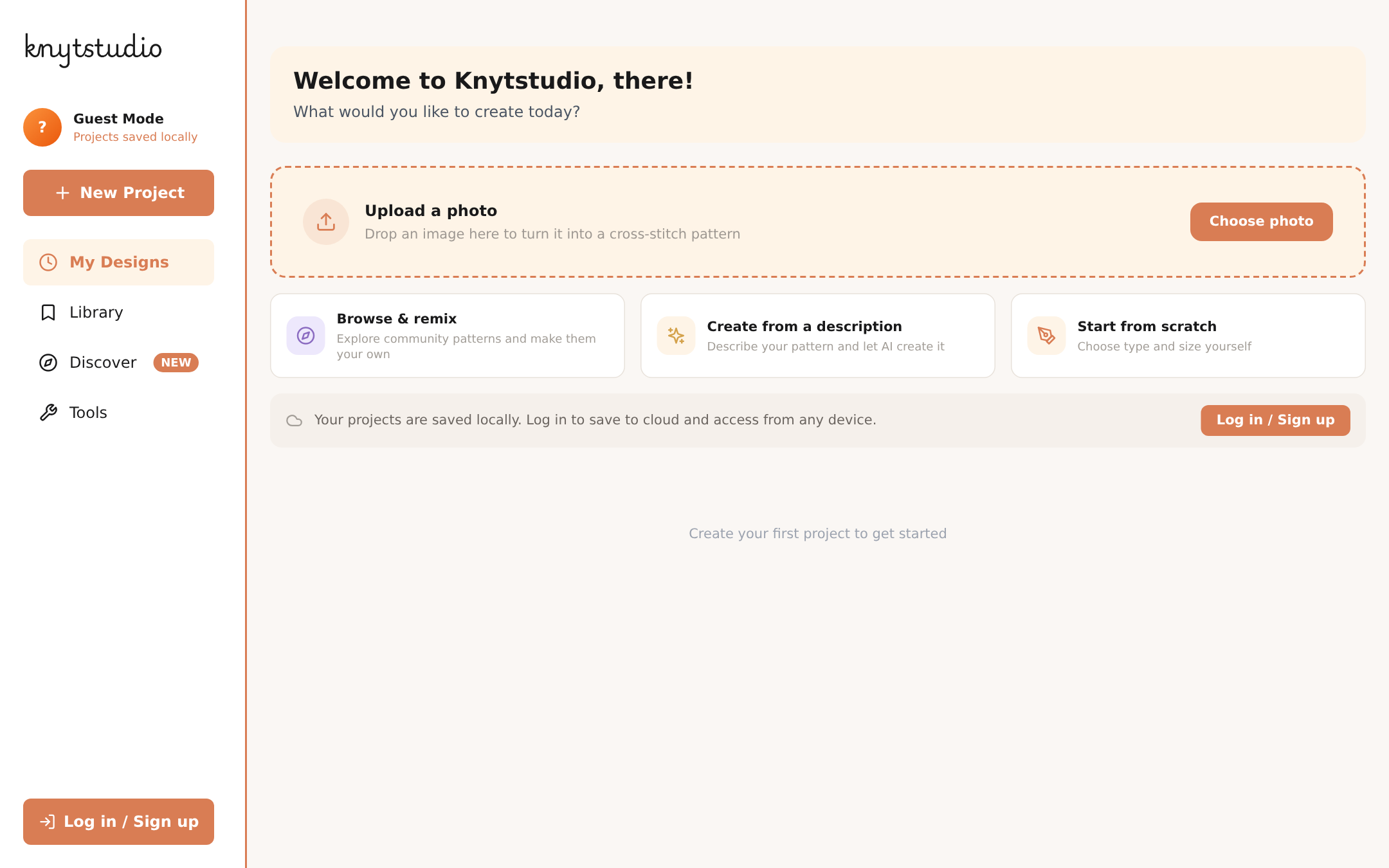
When you open Knytstudio you get four ways to start, and they suit different moods:
Upload a photo. Drop in any image and Knytstudio converts it into a stitchable chart. You control the size, the number of colors, and the thread brand. This is the fastest way to a personal pattern — a pet, a holiday photo, a drawing your kid made. See Photo to Pattern for the full walkthrough.
Browse and remix. Head into the community gallery, find a pattern you like, and open it in the editor as your own copy to adjust. More in Remixing Patterns.
Create from a description. Type what you want — “a fox sleeping under a birch tree” — and Knytstudio sketches a stitchable design for you. This is Design Spark.
Start from scratch. A blank canvas and a setup wizard. Pick your craft type, and Knytstudio asks the right questions: for cross stitch, your fabric count and finished size; for knitting, your gauge, so the grid matches how your stitches actually sit.
Saving
You can design without an account — your work stays on your device, and the editor reminds you with a small “Sign up to keep” note. A free account saves up to three patterns to your account, so they follow you between your computer, tablet, and phone. Everything autosaves while you work.
Where to go next
Take the tour of the editor to learn where everything lives. It takes two minutes, and you’ll know more about Knytstudio than most of our users do.
Frequently asked questions
Do I need an account to try Knytstudio?
No. You can open the editor and start designing right away. Your work is saved on your device, and creating a free account later keeps it safe in your account so you can open it on any device.
How many patterns can I save for free?
Three. The free tier includes the complete editor with every tool. Pro (4 euros per month) removes the limit and adds PDF export.
Which craft types does Knytstudio support?
Cross stitch, knitting, crochet, beading, and pixel art. Each type gets its own setup: fabric counts for cross stitch, gauge and row directions for knitting, and so on.
Try it yourself
The Knytstudio editor is free to use in your browser. No install, no signup needed to start.
Open the editor